How to Add Subtitles to a Movie MP4 AVI Video in Windows Media Player
Whether if you are watching a movie video in a language that you do not know, or if you just prefer to read subtitles instead of bringing up the volume of the movie video, you can insert any piece of subtitle in any language of your choice into your movie video. This article will show you simple step-by-step tutorial on how to add subtitles (srt, sub, ass, ssa, idx, ssf, usf, rt) to a movie or any other video in file format of mp4, avi or mkv.
While we cannot guarantee it will always work, you will just have to try it yourself. We recommend using SRT format for subtitles and AVI format for videos. It may also work with other subtitles and video formats. The tutorial will take you roughly 10 mins to master the trick, and then you will be able to use it for the rest of your life.
Disclaimer: This post is for if you own the legal copy of the movie or television series video of which you would like to add the subtitles to.

How to add subtitles to movie or add srt to avi?
- The very first thing you have to do is to make sure that your movie is in avi file extension. If not, you have to convert it to avi file extension by using any of the free video converters available online that support avi conversion. (Update: With the new codec pack, this method may also work with other video file extensions. Make sure to keep a backup of your original video before trying anything.)
- If you already have a piece of subtitle file with you. Move on to step 5.
- Otherwise, search and download the subtitle in the language of your choice that match your movie from any of the subtitle sites online.
- However, sometimes it will not be easy to find a suitable subtitle for a less popular movie.
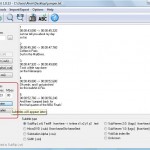
- Alright, for now you should already have a subtitle in srt format (or any other compatible subtitle format) with you. SRT is the format of a subtitle text file. You can see the contents of the subtitle with any text editor such as notepad.
- Place it in the same folder with the movie.
- You have to rename the srt file to match the avi file name. Both names must be exactly the same! Simply just copy and paste when you rename them.
For example:
– Alvin-and-the-chipmunks.avi
– Alvin-and-the-chipmunks.srt - Lastly, you need to download and install VobSub so that your video players learn how to display subtitle while playing a movie (or consider downloading the windows media player codec pack to play mkv rmvb flv mp4 with subtitles).
And that’s it! Your video should display the subtitle if you follow the above steps correctly. You’ve just learnt how to add subtitles to a movie or add srt to avi!
If your subtitle isn’t displaying correctly with your movie, it may be due to incorrect timing of the subtitle file. In that case, you will need to edit the subtitle manually (don’t worry, it’s pretty easy) before they can displayed correctly. Here’s the tutorial: How to Edit or Convert Subtitle.
For Mac Users – How to Add Subtitles to a MP4 AVI Movie Video:
To view .srt files on a Mac, you will need to use a more capable video playing application such as VLC Media Player. It’s a free and easy to use video player used widely across the globe. Once you’re running VLC, go to preferences and deselect ‘automatically detect subtitle files’. Follow step 1 and 2 above until you have a piece of subtitle file on your computer. Then, on your VLC player, choose the subtitle file to be played with your movie using the ‘browse’ button (select both files). It’s not automatic but it should work. Enjoy your movies!