Internet Explorer 11/10/9 Download More Than 2 Files Simultaneously
By default, you are only allowed to download 2 files at a time from a single website in Internet Explorer 9/11/10. However, you can tweak it to enable more than 2 downloads simultaneously at a time by changing a editing a few keys in the registry settings.
The maximum limit of simultaneous downloads from one single top level domain in IE 11/10/9 is set at 2 by default. An example of top level domain is computertipsfree.com, anything comes after computertipsfree.com, let’s say computertipsfree.com/files123 is considered under a top level domain. Thus, you can only have 2 maximum downloads from this domain at the same time. If you are to download files from different top level domains, there will not be a limit to the number of downloads.
This editing requires advanced understanding in Windows registry. Mistakes could crash your system. Please proceed at your own risk. Side tip: If you want to check and fix your registry errors automatically, we recommend Registry Easy.
To enable Internet Explorer 11/10/9 Download More Than 2 Files Simultaneously:
- Open RegEdit by going to the Start Menu -> type regedit in the search box and then hit Enter.
- Navigate to the following registry key:
HKEY_CURRENT_USER\Software\Microsoft\Windows\CurrentVersion\Internet Settings
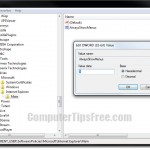
- Right-click Internet Settings -> select New -> DWORD (32-bit) Value.
- Name this key MaxConnectionsPerServer.
- Double-click MaxConnectionsPerServer, enter 4 into the value data field and then hit OK.
- Right-Click Internet Settings -> select New -> DWORD (32-bit) Value.
- Name this key MaxConnectionsPer1_0Server
- Double-click MaxConnectionsPer1_0Server, enter 6 into the value data field and then hit OK.
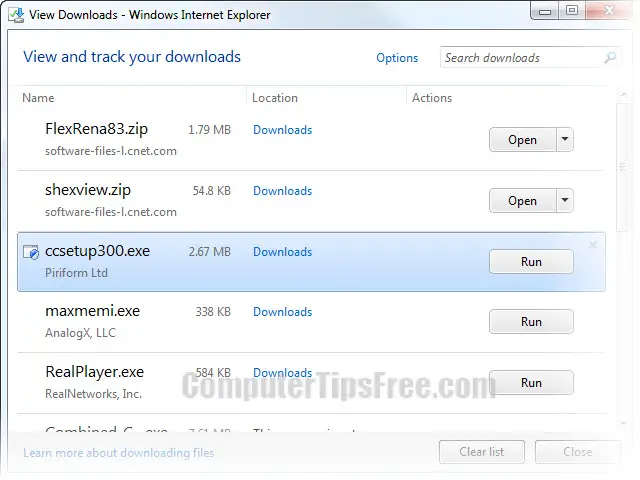

- Note: You can set both of these values to as many as you want, but 4 and 6 are most recommended.
If your set increased number of simultaneous downloads is too high, sometimes (but rarely) you may encounter problem where your downloads stuck at the half or at the end. In this case, you may want to try revert the number back to default value. Some servers just don’t respond to an exaggerated number of download requests, unless of course, it’s a file hosting sites which are built for this kind of purpose.
However, if you’re looking to download a list of items at the same time from a same domain (or from several other domains), we would still recommend using a third party downloader such as the free download manager by cnet.com. The very first reason to use a download manager is that you can pause and resume your downloads (provided if the host doesn’t reset itself) anytime you want and as many time as you want. You can also set your preferred maximum numer of simultaneous downloads to any number you want up to infinite. Free download manager is just an example from many hundreds of other download manager. Find one that suit your needs, instead of using the default manager from your browser.