Fix: Error Code 1601 Windows Installer 8/7/Vista/XP
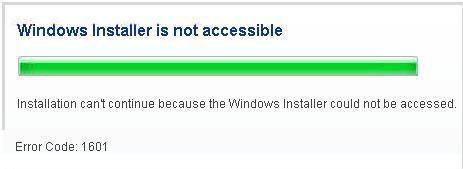
Problem: Each time you want to install or uninstall a program that uses Windows Installer, you get the following error with error code 1601: The Windows Installer Service could not be accessed. This can occur if you are running Windows in safe mode, or if the Windows Installer is not correctly installed. Contact your support personnel for assistance.
Like what the error tells you, your Windows PC may be booted in Safe Mode, hence, causing Windows Installer to not able to run. To check if you are in a safe mode state, check the corner of your screen. If it’s on safe mode, there would be a phrase telling you that you are in Windows safe mode. Simply restart your PC and press nothing while booting up. Proceed to do the installation again.
If that’s not the case, it could be an error about msiexec which is the task that does all the jobs about Windows installer’s installation. You will have to just re-register msiexec for it to run correctly again. This solution requires advanced registry editing. Please proceed at your own risk.
Fix: Error Code 1601 Windows Installer – Windows 7 or Vista
- Click Windows Start button, in the Start Search box, type the following command and then press enter:
%windir%\system32\msiexec /unregserver
Nothing will be prompted to you because the registry process takes less than 1 second to be completed.
- Next, go back to the Windows Start button, in the Start Search box, type the following command and then press enter:
%windir%\system32\msiexec /regserver
Now that the msiexec has been re-registered, you may try to run any Windows Installer to test if the problem is solved.
Fix: Error Code 1601 Windows Installer – Windows XP or 2000
- Click Start -> Run -> type CMD in the run box, and then click OK.
- A MS DOS window will be prompted to you. Type the following command and then press enter:
msiexec /unregister
Do not close your MS DOS window after this step.
- In the same MS DOS window after performing step 2, type the following command and then press enter:
msiexec /regserver
Now that the msiexec has been re-registered, you may try to run any Windows Installer to test if the problem is solved.
Error Code 1601 Installer Windows 8.1/8
Update: In Windows 8.1/8, if this error ever pops up to you, the method of solving is pretty much the same as in Windows 7. The only difference is the way you open your command prompt, which is fairly easy in Win 8. Well, this problem has been fixed since the release of recent patches. You may also want to scan your registry for error using tools such as registry easy (recommended download), to check for any missing/corrupted registry in your Windows and fix them automatically.